How to Register a Category L5 Three-Wheeled Vehicle (TWV) with the LTO

If you own a three-wheeled vehicle (TWV) in the Philippines—whether it’s for personal use or as a source of income—you’ve probably wondered how to register it properly with the Land Transportation Office (LTO). Category L5 TWVs, also known locally as “tuk-tuks”, are becoming more common on Philippine roads because of their affordability, practicality, and efficiency.

If you aren’t sure how the registration works, what documents to prepare, or what restrictions apply once their unit is on the road, this article will walk you through everything you need to know about registering a Category L5 Three-Wheeled Vehicle (TWV) in the Philippines, including requirements, fees, and road rules you need to follow.

What is a Category L5 Three-Wheeled Vehicle (TWV)?
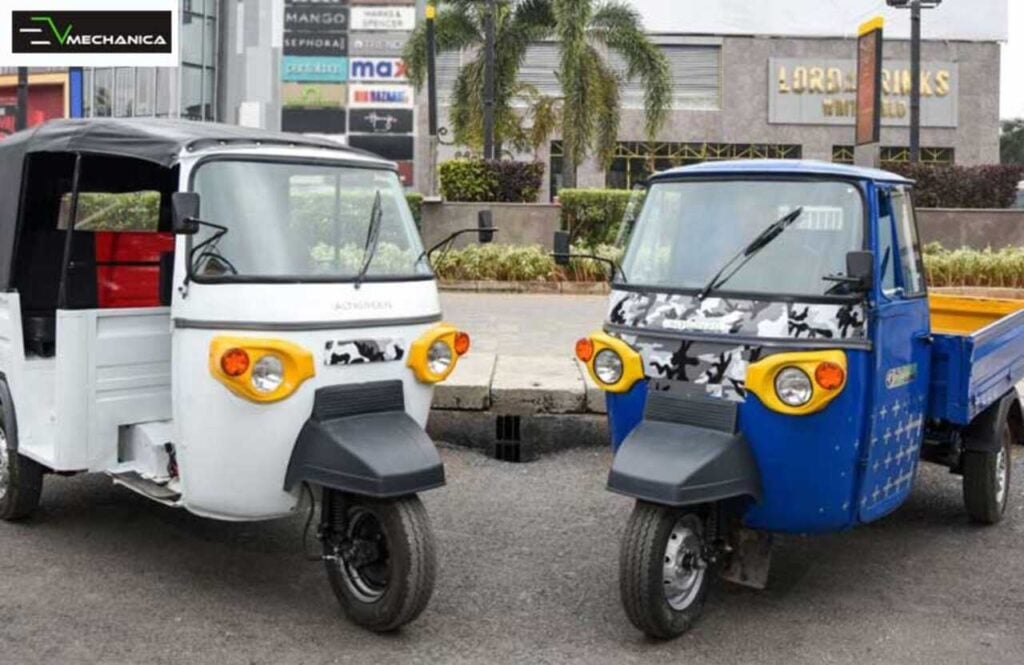
category-L5-three-wheeled-vehicle-twv-lto-philippines
Photo credit: EV Mechanica

Before we dive into the process, here’s a clear explanation of what a “Category L5” TWV means under Philippine regulations.

  • Category L5: Refers to three-wheeled vehicles with a “tuk-tuk” configuration (commonly used for public transport or cargo).
  • Technical Specifications:
    • Minimum power output: 1kW (1.34 horsepower)
    • Maximum curb weight: 600kg

In essence, if your three-wheeled vehicle looks and functions like a tuk-tuk, with enough power to operate safely but not exceeding the 600kg limit, it falls under the L5 classification.

Why Do You Need to Register Your TWV?

Registering your L5 TWV isn’t just about compliance—it protects you as an owner and allows you to legally drive or operate your vehicle on Philippine roads. Without registration:

  • You risk penalties and fines from the LTO.
  • Your vehicle cannot be used for public transport or business purposes.
  • It may be harder to claim benefits from insurance in case of accidents.

If you’re planning to use your TWV as a livelihood—whether as a for-hire service or a delivery unit—proper registration is non-negotiable. Plus, you get to enjoy the following benefits:

  • Legal use on public roads: You can drive your TWV without fear of penalties, apprehensions, or impoundment.
  • Business opportunities: Registered TWVs can be used as for-hire passenger vehicles (like tuk-tuks) or for delivery services.
  • Access to insurance: Having a valid registration makes your TWV eligible for insurance coverage, which helps in case of accidents.
  • Proof of ownership: Registration provides official documentation linking you as the legal owner of the TWV.
  • Compliance with LGU regulations: Helps you secure permits and operate legally within your city or municipality.
  • Increased vehicle value: A properly registered TWV has better resale value compared to an unregistered one.
  • Driver protection: Ensures you are operating under LTO standards, reducing risk of penalties and road violations.
  • Public trust: If used for transport, passengers are more likely to ride a registered, properly documented TWV.

Who Needs This

Here’s a complete list of who needs to learn about how to register a Category L5 TWV:

  • Owners of brand-new TWVs: If you just bought a tuk-tuk or similar unit, registration is required before you can legally use it on public roads.
  • Families using TWVs for personal transport: Those who use a three-wheeled vehicle for daily commutes, school runs, or errands.
  • Small business owners: Entrepreneurs using TWVs for cargo, delivery, or logistics (e.g., water refilling, food delivery, small-scale transport services).
  • Operators of public transport: Drivers or cooperatives offering for-hire tuk-tuk rides or local transport services.
  • Delivery riders or franchise partners: Individuals using TWVs as part of e-commerce, courier, or barangay delivery systems.
  • LGU-accredited transport cooperatives: Groups allowed by local government units to operate three-wheeled public transport within a city or town.
  • Second-hand TWV buyers: Those who purchased a used unit and need to transfer or update registration under their name.

Step-by-Step Procedures

The registration process may feel intimidating, but once you know what to prepare, it becomes straightforward. Here’s what you need to do:

Step 1. Go to the Right LTO Office

  • Registration is done at the LTO New Registration Unit (NRU) or an authorized District/Extension Office.
  • Make sure your TWV is physically brought to the office for inspection.

Step 2. Prepare the Required Documents

Before going to the LTO, have the following ready (incomplete documents will delay the process):

  • Original and photocopy of Certificate of Stock Reported (CSR) or Sales Invoice
  • Certificate of Cover (COC) for third-party liability insurance
  • Taxpayer Identification Number (TIN) of the registered owner
  • Duly accomplished LTO Application for Registration (Form 21)
  • Government-issued ID of the owner

Step 3. Classification of Your Vehicle

Your unit will officially be registered under the classification: Three Wheeled Vehicle (TWV).

Step 4. Payment of Fees & MVUC Assessment

One key point to remember:

  • L5 TWVs are assessed the Motor Vehicle User’s Charge (MVUC) equivalent to Car-Light motor vehicles.
  • The rate depends on whether your TWV will be used as:
    • Private (personal use only), or
    • For Hire (used as public transport or delivery service).

How Much is the Motor Vehicle User’s Charge (MVUC)?

MVUC is the government fee you pay for using your vehicle on public roads. Since L5 TWVs fall under Car-Light classification, expect fees similar to small cars or utility vehicles.

  • Private TWVs: Lower rate compared to for-hire.
  • For-Hire TWVs: Higher rate, since they’re used commercially.

Note: Actual computation may vary depending on the LTO branch and updates from the Department of Finance. It’s best to ask your assigned evaluator at the LTO during registration.

Where Can You Drive Your TWV? (Road Access and Restrictions)

One of the most common questions TWV owners ask is: “Where can I legally drive my three-wheeled vehicle?”

Here’s a detailed guide:

  • Allowed: All roads except highways and expressways.
  • Secondary National Highways: You can drive here only if there is no alternate route available. You must also stay in the outermost/rightmost lane for safety.
  • Not Allowed: Expressways and major highways, since TWVs don’t meet the speed and safety requirements for these roads.
  • LGU Rules Apply: Your Local Government Unit (LGU) may allow or prohibit TWVs in specific areas. Always check with your barangay or city hall first before operating.

Driver Licensing and Use for Public Transport

  • Licensed Driver Required: Whoever operates the TWV must have a valid driver’s license that corresponds to the category of the vehicle.
  • Public Transport Use: TWVs under Category L5 may be registered as for-hire vehicles—meaning they can legally operate as tuk-tuks for passengers or delivery vehicles.

This makes them an affordable option for small entrepreneurs and drivers looking to earn extra income.

Video: Mandatory LTO License, Registration for E-Bikes, E-Trikes

Registering a Category L5 Three-Wheeled Vehicle (TWV) in the Philippines may feel overwhelming at first, especially with the differences from motorcycle or car registration. But once you understand the requirements, fees, and road rules, the process becomes much more manageable. Whether you’re using your TWV for personal transport or as a for-hire service, registration keeps you legal, safe, and protected from penalties. Watch this video to learn more:

For updated guidelines, always check the official LTO website: www.lto.gov.ph or visit your nearest branch.
How to Update Your Phone Number, Email Address to Receive NCAP Notification

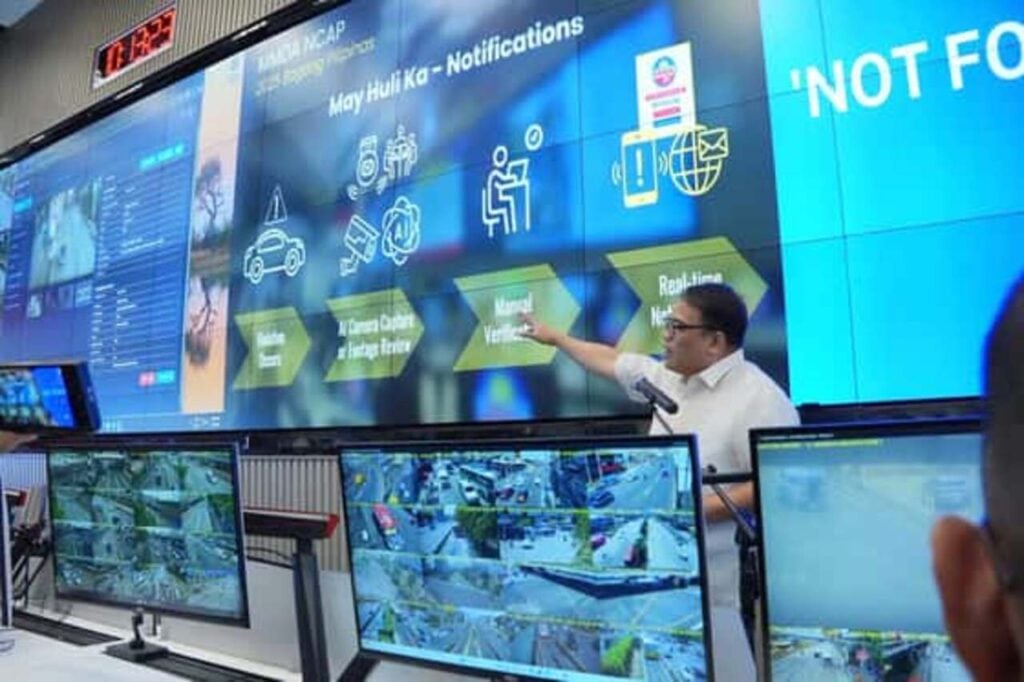
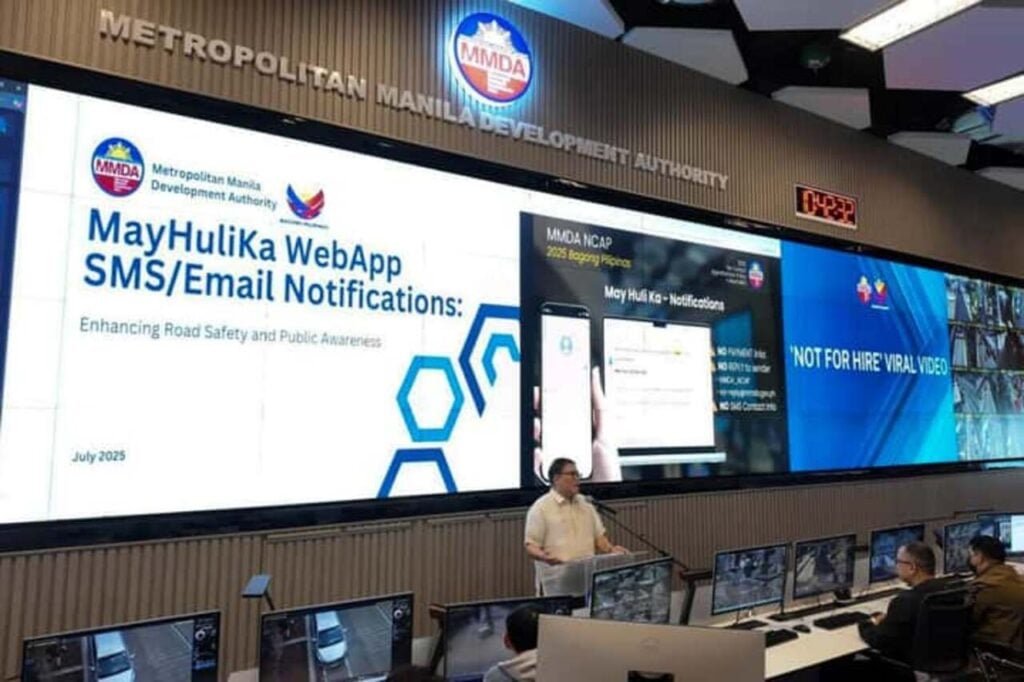
Updating your phone number and email address to start receiving SMS and email alerts for violations under the relaunched NCAP (No Contact Apprehension Policy) means getting a valid phone number that can receive a real-time notice of violation on the database, instead of waiting for slow postal notices. Through this initiative for real-time SMS and email notifications, the Metropolitan Manila Development Authority (MMDA), in partnership with the Land Transportation Office (LTO) and a telecommunications firm solves one of the main problems with the old NCAP, while also giving vehicle owners instant updates about their traffic violations directly on their phones or inboxes—even without internet for SMS, allowing them to act quickly and avoid extra penalties, without waiting for postal mail.

But here’s the catch: these alerts are only sent to the contact details you registered with the LTO’s Land Transportation Management System (LTMS). If your phone number or email address is outdated, you’d want to get this updated ASAP, to avoid missing these important messages. This guide walks you through how to update your registered mobile number and email address on your LTMS profile and what to watch out for when receiving these NCAP notifications.

Why Update Your Contact Details for NCAP Notifications?

how-to-update-phone-email-to-get-ncap-notification
Photo credit: Autoindustriya

Motorists often face two common problems with NCAP violations. 

  • Delayed notices: Notices by mail take days or even weeks, leaving little time to settle fines.
  • Missed updates: Outdated contact information means you won’t receive SMS or email alerts at all.

These are also among the major complaints about the old NCAP, which both the LTO and the MMDA wishes to address in this relaunched NCAP version. That said, it is important to keep your mobile number and email records updated. In doing so, you’ll:

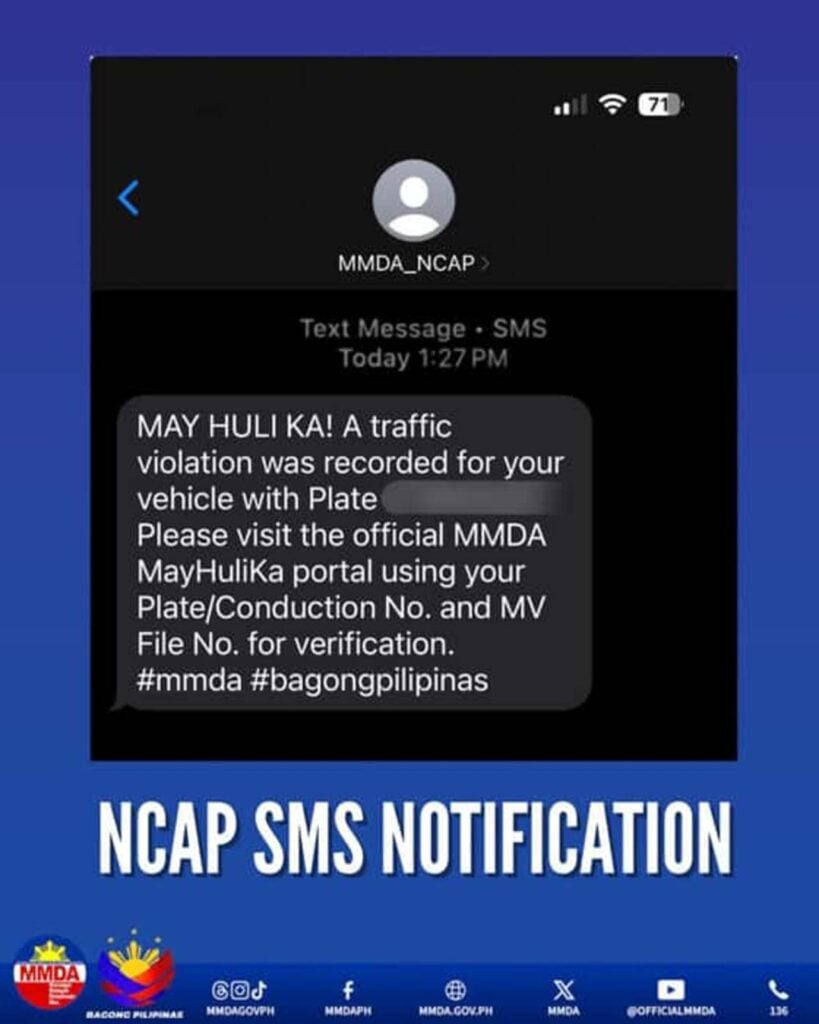
  • Get real-time May Huli Ka SMS alerts from “MMDA_NCAP” (not a standard number).
  • Receive email notices from “no-reply@mmda.gov.ph.”
  • Stay on top of violations immediately, even without an internet connection.
  • Avoid surprises, late penalties, or confusion about your record.

What Official NCAP Notifications Look Like

ncap-sms-notification
Photo credit: PNA

To protect drivers from scams, MMDA emphasized these key details:

  • SMS sender ID: “MMDA_NCAP” (not a typical mobile number).
  • Email sender: “no-reply@mmda.gov.ph.”
  • No payment links included. Official texts and emails never ask you to click links or pay online.

Safety tip: Be wary of suspicious messages with links or requests for payment. Always double-check the sender’s details before responding.

Who Needs This?

Here’s a complete list of who needs to update their phone number and email address to receive NCAP notifications:

  • Vehicle owners in Metro Manila whose cars are covered by the No Contact Apprehension Policy (NCAP).
  • Motorists who changed phone numbers or email addresses but haven’t updated their LTMS profile.
  • Car buyers who recently purchased a vehicle who need to transfer ownership and register their updated contact details.
  • Former car owners who sold their vehicle but haven’t processed the transfer of ownership yet (to avoid receiving violations tied to the old car).
  • Anyone managing fleet vehicles (like companies, government agencies, or transport operators) who must keep contact details accurate for multiple vehicles.

What You Need

To be able to update your mobile number or email address in the LTO LTMS portal, here are the things that you will need:

  • Active LTMS account (username/email and password to log in at portal.lto.gov.ph).
  • Valid mobile number (must be working and able to receive an OTP for verification).
  • Active email address (accessible for updates and notifications).
  • Stable internet connection (to access the LTMS portal smoothly).

Step-by-Step Guide (via LTO LTMS)

Updating your phone number or email is done via LTO LTMS portal and it only takes a few minutes. 

Here’s how you can do it:

Step 1. Go to the official LTO LTMS portal: portal.lto.gov.ph.

Step 2. Log in using your username or email and password.

Step 3. From your dashboard, click Profile.

Step 4. Select the Contact tab.

Step 5. Update your mobile number and/or email address.

Step 6. Click Verify Number.

Step 7. Enter the One-Time Password (OTP) sent to your phone.

Step 8. Adjust your notification permissions to allow alerts.

Step 9. Hit Apply Changes.

Step 10. Log out once done.

That’s it! You’re now set to receive real-time NCAP violation alerts.

Cost and Duration

Updating your mobile number or email address in the LTO LTMS portal is completely free of charge. The process can be done online in just a few minutes, as long as you have access to your LTMS account. Once updated, your new contact details take effect immediately after verification. This means you can start receiving NCAP SMS and email notifications in real-time right away.

“No Record Found” on May Huli Ka website

how-to-get-ncap-notification
Photo credit: Autoindustriya

MMDA also launched the May Huli Ka 2.0 website, where you can also check violations using your:

  • Plate number
  • Conduction sticker number
  • Motor Vehicle File Number (MVFN)

But here’s something many don’t know:

  • A “No Record Found” result only means there are no NCAP-recorded violations.
  • It does not mean you are free of all traffic violations.

So, it’s still best to regularly monitor both your MMDA NCAP records and your LTO LTMS profile.

Frequently Asked Questions (FAQs)

For your reference, here are some common questions and answers about the NCAP notifications:

1. Do I need an active Internet connection to receive SMS alerts?

No. The SMS feature works even without an internet connection.

2. What if I don’t update my contact info?

You’ll continue to rely on notices by mail, which could be delayed, resulting in missed deadlines or penalties.

3. Can I ignore NCAP violations?

No. Ignoring violations may result in higher fines and problems when renewing your vehicle registration.

4. Is the SMS sender a regular mobile number?

No. It will appear as MMDA_NCAP.

5. Are online payment links in the messages legit?

No. Official notifications never include links for payment.

Video: NCAP Notifications

The MMDA also launched the May Huli Ka real time SMS and email notifications to make it easier to inform vehicle owners of their NCAP violations in hopes of helping them avoid penalties and other legal problems. To learn more about it, you may check out this video: 

Need More Help?

For inquiries and other concerns, you may reach out to:

MMDA NCAP Office

  • Contact Number: +632 8898 4200 loc. 1084
  • Email: noncontact@mmda.gov.ph / ncap2@mmda.gov.ph
  • MMDA Head Office: Julia Vargas Ave. cor. Molave St., Pasig City
  • MMDA Hotline: 136

How to Get Special Disability / Medical Condition Codes on LTO Driver’s License

Special disability or medical condition codes on an LTO driver’s license are special markings that identify if a driver has a disability or medical condition that requires certain restrictions or adjustments when driving. These codes make it possible for Persons with Disabilities (PWDs) in the Philippines to legally and safely operate vehicles suited to their needs. Instead of being denied a license outright, qualified applicants are given the chance to drive with specific conditions—such as using a customized vehicle, wearing corrective lenses, or driving only during daylight hours. This system helps protect the driver and the public while still respecting the independence of PWDs. 

The Land Transportation Office (LTO) has clear guidelines for issuing driver’s licenses with special disability or medical condition codes that identify your condition and any restrictions needed to keep you and others safe on the road. This guide explains exactly how to apply, what documents to prepare, and what to expect during the process.

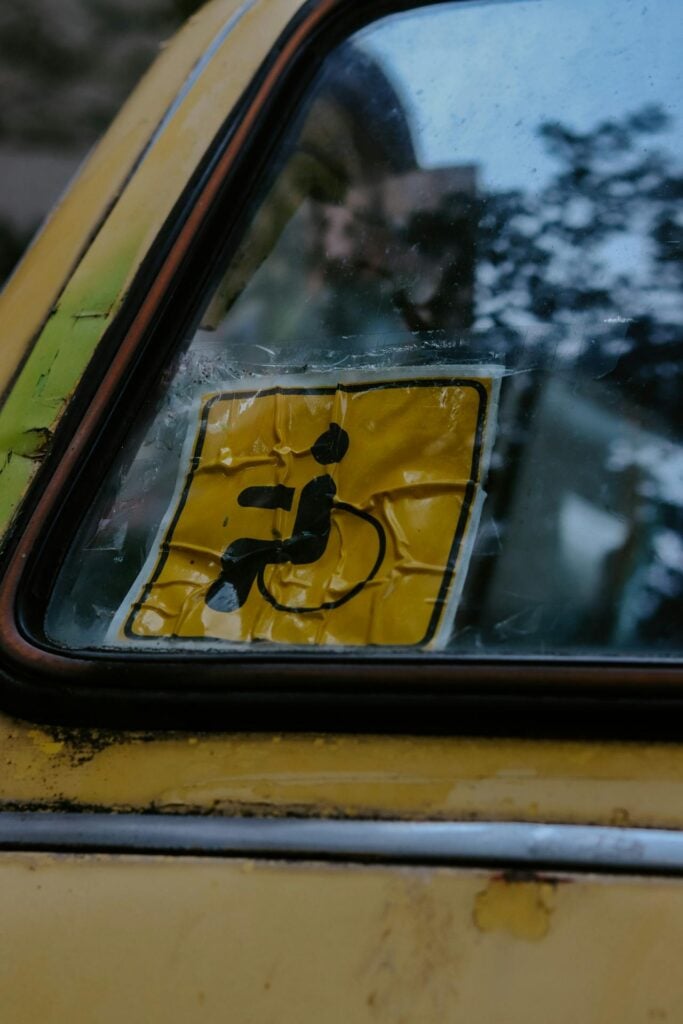
driving-with-disability-pwd-driver
Photo by Erik Mclean

What Are LTO Condition Codes?

Condition codes on an LTO driver’s license are not punishments—they’re safety measures added when the old numeric driver’s license restriction codes (RC) were replaced with the alphanumeric DL codes. These condition codes are restriction markings added to your license to indicate that you have a medical condition or disability and may need special equipment, restrictions, or adjustments when driving.

Here are the existing LTO condition codes:

  • Code 1:  Wear corrective lenses (glasses/contact lenses)
  • Code 2: Drive with special equipment for limbs
  • Code 3: Drive only customized vehicles inspected and registered with the LTO
  • Code 4: Daylight driving only (6:00 AM – 6:00 PM)
  • Code 5: Hearing aid required

These codes protect you from being denied on the road and help law enforcement understand your driving limitations.

Who Can Apply for a Special Driver’s License?

drivers-license-code-people-with-disability-pwd
Photo by Ejov Igor

Under Republic Act 7277 (Magna Carta for Disabled Persons) and DA Memorandum Circular No. 94-188, only qualified PWDs may apply. Eligible applicants include:

  • Orthopedically impaired: Amputated arm/leg, or post-polio victims with one paralyzed leg
  • Partially blind: No left eye but good right vision, or vice versa
  • Speech and hearing impaired: Unable to speak but can hear, or partially hearing

Note: Those who qualify will only be issued a non-professional driver’s license.

Eligibility and Requirements

To apply, prepare the following:

  • Must be at least 17 years old
  • Must first hold a Student Permit with at least 30 days of driving apprenticeship
  • Medical certificate from an LTO-accredited or government physician indicating your physical and mental condition
  • Must pass both the written and practical driving exams

For those who already have a valid or renewable non-professional/professional license and later acquire a disability:

  • Apply for replacement of your license with a Special Driver’s License
  • Submit a new medical certificate from an accredited physician
  • Must belong to the qualified categories listed above

Procedures

Here’s a simplified list of steps that you can follow to get the condition codes on your license updated:

Step 1. Consult an LTO-Accredited Physician

  • Schedule a medical exam at an LTO-accredited clinic.
  • PWDs should be given priority service.
  • If needed, you may be referred to specialists like:
    • Ophthalmologist (for vision)
    • Rehabilitation Medicine Specialist (for orthopedic impairments)
    • ENT Specialist (for speech/hearing impairments)

Step 2. Get Your Medical Certificate

  • The physician will issue a certificate detailing your disability/condition, fitness to drive, and recommended restrictions.
  • This is transmitted electronically to the LTO.

Step 3. Gather Your Documents

Step 4. Complete the Theoretical Driving Course (TDC)

  • Take the mandatory 15-hour class and secure a Certificate of Completion.

Step 5. Pass the Exams

  • Written exam: driving rules, road safety, and traffic laws
  • Practical test: assess your ability to drive safely, especially with special equipment (if required)

Step 6. Apply at the LTO Licensing Center

  • Submit all requirements and wait for biometrics and photo capture.

Step 7. Receive Your License with Special Condition Codes

  • Once approved, you’ll get your card with the codes printed, reflecting your disability/condition and driving limitations.

Common Problems and How to Handle Them

Many PWD applicants report frustrations such as:

  • Being bounced between different LTO physicians
  • Told to “go to the central office” without proper referral
  • Required to get multiple specialist certifications

What you can do:

  • Politely insist on your rights under the Accessibility Law (BP 344), which prioritizes PWDs in government services.
  • Ask for an official referral if directed to another doctor.
  • Keep copies of all medical results and certificates for easier processing.

Frequently Asked Questions (FAQs)

For your reference, here are some common questions and answers related to getting special disability/medical condition codes on your license:

1. Can a PWD get a professional driver’s license?

No, only a non-professional license is allowed.

2. What if I already have a license but then develop a disability?

You must replace your license with a Special Driver’s License with the appropriate condition code.

3. Can PWDs drive at night?

Generally, no. Driving is limited to daytime hours.

4. Do I still need to take exams even if I already drive well?

Yes. Both the written and practical tests are required for everyone.

Important Things to Remember

It would also help to remember the following:

  • Driving limits: PWD drivers are generally restricted to daytime driving only (6 AM – 6 PM).
  • Customized vehicles: If you’re orthopedically impaired, you can only drive the modified vehicle inspected and registered by the LTO.
  • Fair treatment: By law, all LTO-accredited physicians must prioritize PWDs during medical exams. Any delays or refusals can be reported.
  • License renewal: When renewing, always submit a new medical certificate confirming your condition and capacity to drive.

Video: DL Codes and Their Meanings

Driving gives independence, and having a disability or medical condition doesn’t automatically take that away. With the right documents, medical clearance, and compliance with LTO requirements, you can get a license with the appropriate special disability/medical condition codes. If you’re a PWD planning to apply, remember: the process may take patience, but you have the right to accessible and fair service. Learn more about the various license condition codes by watching this video below:

For more details and official updates, visit the LTO website.

error: Content is protected !!